HTML to Figma

Web pages,
editable in Figma.

Capture the screen you’re viewing, including signed-in pages, and edit its text and layout in Figma.

10 free captures per month. Resets every month.

How it works

1

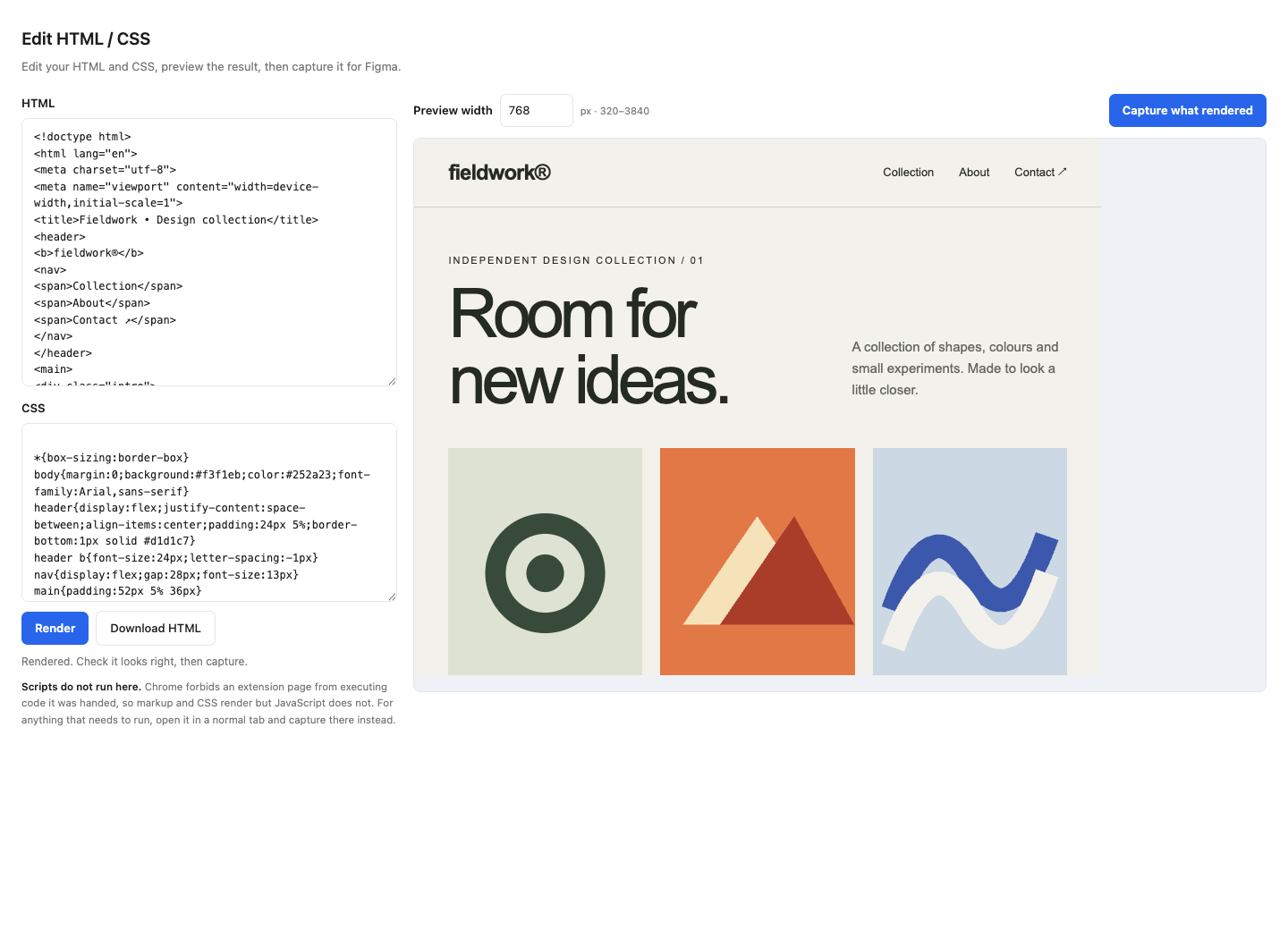
Capture what you see

Open the page you want to change, then click Snapture in Chrome's toolbar and choose what to capture. Alt+Shift+C
2

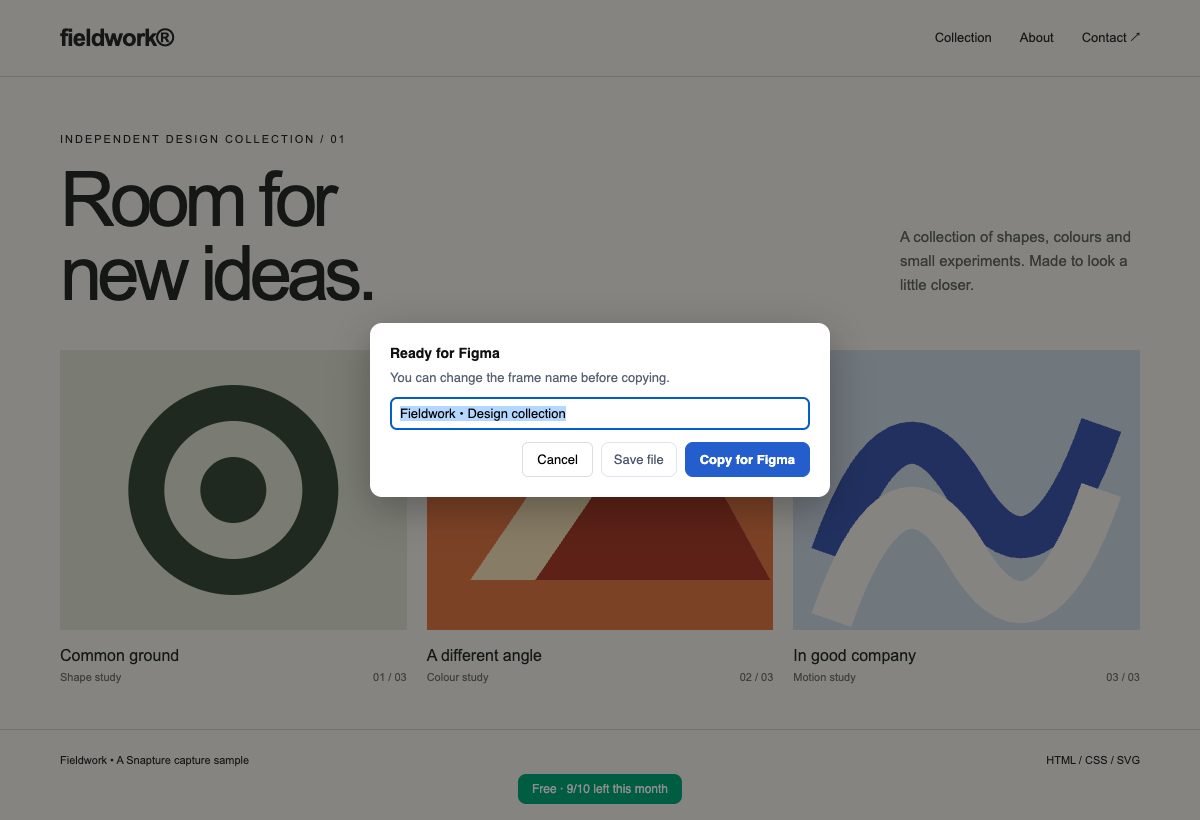
Copy for Figma

After capture, copy for Figma. You can also save a file and drop it into the plugin.
3

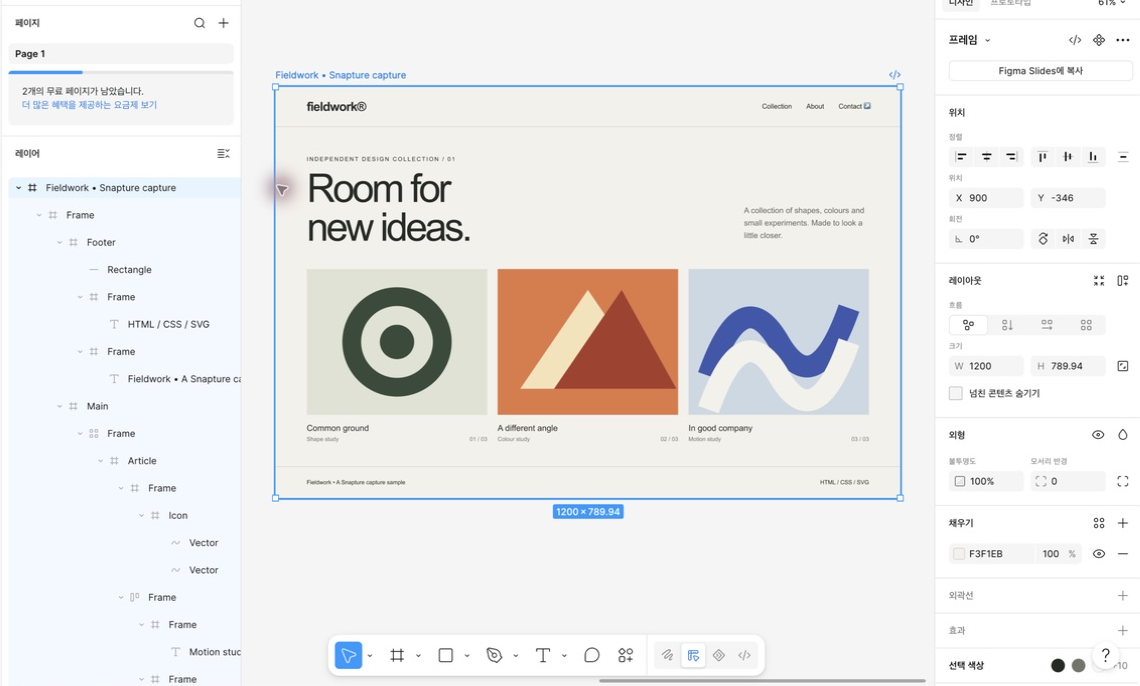
Edit in Figma

Open Snapture Import in your Figma file and paste with Cmd/Ctrl+V. Select a text layer to start editing.
Illustrated walkthrough. These screens explain the steps; they are not recorded capture results.
Features

A starting point for your next screen update

Bring an existing website or signed-in dashboard into Figma as editable layers, then start your redesign from the current screen.

Logged-in pages

Open the page you want to change, then click Snapture in Chrome's toolbar and choose what to capture.
Auto Layout

Auto Layout is applied when Figma reproduces the captured positions within 0.5 px. Other frames keep their captured positions.

Charts, maps, 3D

Charts, maps and 3D content may arrive as images. Those areas are not editable chart data or 3D models.

Components & styles

Matching repeated elements can become components. Supported text, colors and CSS color variables become local styles and variables.
Clipboard handoff

After capture, copy for Figma. You can also save a file and drop it into the plugin.

Batch capture PRO

Paste a list of URLs, or pull them from the site's own sitemap, and Snapture opens and captures each one. Up to 30 pages per run.

Single-page captures include Auto Layout verification, component creation from repeated elements and style extraction. Batch capture requires Pro.

Privacy

Your captures are not uploaded to Snapture

Conversion runs in your browser. The import plugin has no network access of its own. Once imported, storage and collaboration follow Figma's settings.

The extension still requests page images, checks Pro licenses and reads sitemaps when you ask it to. The privacy policy explains these requests.

Privacy Policy

Pricing

Try your own screen before subscribing

10 free captures per month. Resets every month. Pro removes the capture limit and adds batch capture. $5 per month or $49 per year.

Free
$0
10 captures

10 free captures per month. Resets every month.

No card, no account

Add to Chrome
Pro
$5 /month
or $49/year (2 months free)

Pro removes the capture limit and adds batch capture. $5 per month or $49 per year.

Get Pro Or pay yearly — $49 (2 months free)

Included in Free and Pro

Single-page captures include Auto Layout verification, component creation from repeated elements and style extraction. Batch capture requires Pro.

Importing into Figma is never counted or limited, and files you have already captured keep opening after the free captures are used up. The Figma plugin itself is free.

FAQ

Questions, answered plainly

Is my page data really safe?

Conversion runs in your browser. The import plugin has no network access of its own. Once imported, storage and collaboration follow Figma's settings. The extension still requests page images, checks Pro licenses and reads sitemaps when you ask it to. The privacy policy explains these requests.

What exactly do I get for free?

10 free captures per month. Resets every month. Single-page captures include Auto Layout verification, component creation from repeated elements and style extraction. Batch capture requires Pro. Pro removes the capture limit and adds batch capture. $5 per month or $49 per year. Resets on the 1st of each month at 00:00 UTC. Unused captures do not roll over.

My fonts look different in Figma.

Figma can only use fonts installed on your computer. Snapture captures the exact font stack, so once you install the missing font (say, Pretendard or Inter) and restart Figma, everything matches. Until then Figma substitutes the closest installed font.

Can I use one license on multiple computers?

Yes, a license covers your personal devices (up to 3 activations). If you hit the limit after replacing a machine, write to us and we'll reset it.

What's your refund policy?

If Snapture doesn't work for your pages, tell us within 14 days of purchase and you'll get a full refund, handled by our payment provider. No forms, no friction.

Stop redrawing what already exists.

First add the Chrome extension. Then open Snapture Import in Figma to paste your capture.