Any web page into
editable Figma layers

Real text, colors, Auto Layout and components you can change. Not a screenshot. Even pages you have to log into. And it all happens on your computer — nothing is uploaded anywhere.

You need both: the extension captures the page, the Figma plugin pastes it. Both are free and take a minute.

How it works

1

Capture what you see

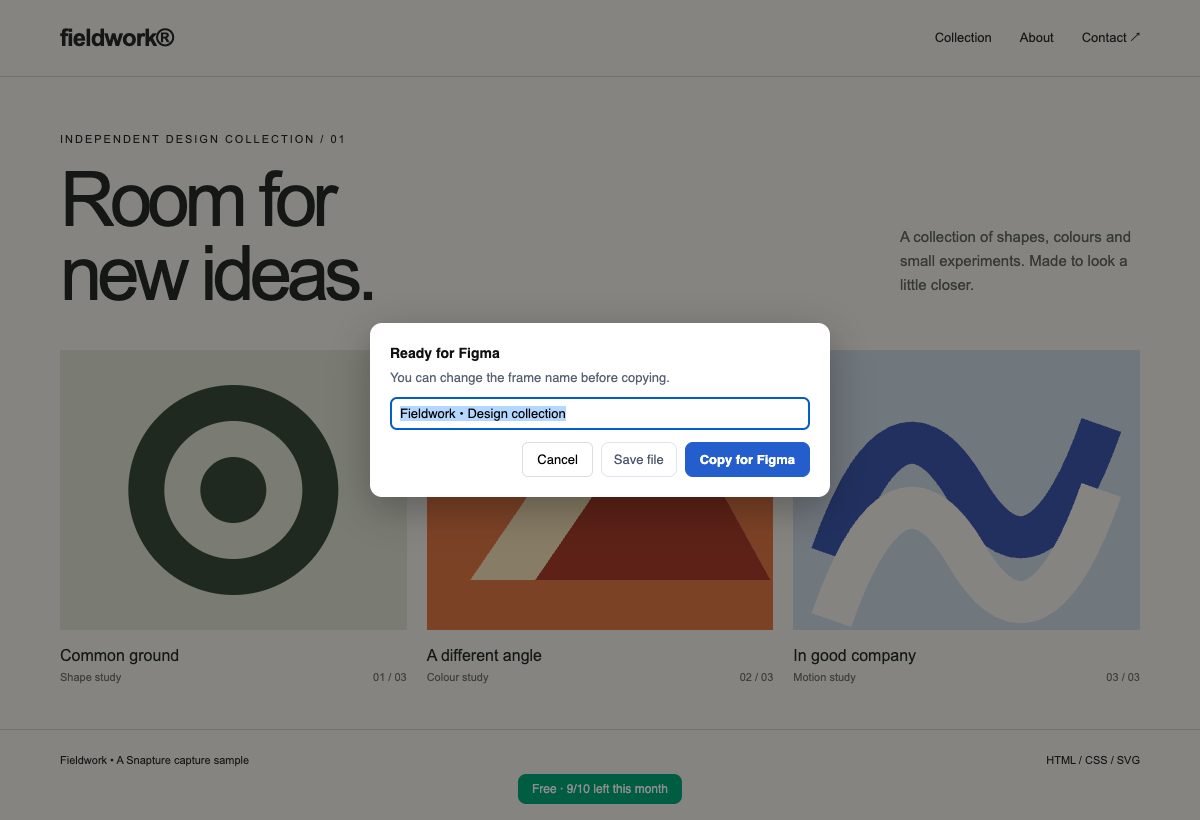
Click the toolbar icon on any page — menus and modals stay open. Alt+Shift+C
2

Copy for Figma

Name it, hit copy. The capture is on your clipboard — no file, no upload.
3

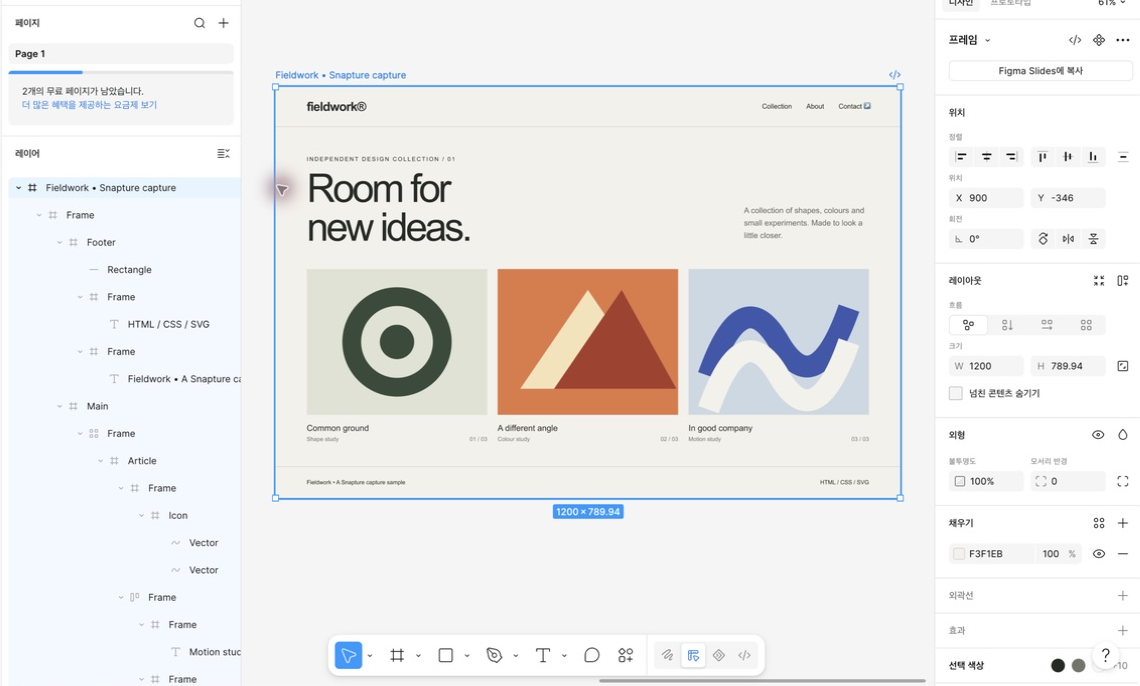
Install the plugin, then paste

In Figma, search Community for Snapture Import, run it once, and press Ctrl+V. Text, Auto Layout and components arrive editable.
🔒 admin.yourcompany.com/dashboard
Revenue overview
Live
Signed inMK
MRR$48,290▲ 12.4%
Seats1,204▲ 3.1%
Churn2.8%▼ 0.4%
Net revenue · last 12 weeksCanvas
Sessions by regionEmbed
Enclosure v4
Recent invoicesTable
NNorthwind Ltd$4,200Paid
VVertex Labs$1,850Due
KKite Systems$3,120Paid
Snapture
What do you want to capture?
Whole page
Everything you see right now
Select a region
Just the part you drag
One element
Hover, then click
Capturing… images 12/12
🔒 admin.yourcompany.com/dashboard
Revenue overview
Live
Signed inMK
MRR$48,290▲ 12.4%
Seats1,204▲ 3.1%
Churn2.8%▼ 0.4%
Net revenue · last 12 weeksCanvas
Sessions by regionEmbed
Enclosure v4
Recent invoicesTable
NNorthwind Ltd$4,200Paid
VVertex Labs$1,850Due
KKite Systems$3,120Paid
Frame name
This becomes the frame / file name in Figma.
atlas-overview
Copy for FigmaCancelSave
✓ Copied — paste in the Snapture Import plugin (Ctrl+V)
Untitled — Figma
Layers
atlas-overview
KPI row · Auto Layout
Invoice row · Component
Revenue overview · Text
atlas-overview
Revenue overview
Live
Signed inMK
MRR$48,290▲ 12.4%
Seats1,204▲ 3.1%
Churn2.8%▼ 0.4%
Net revenue · last 12 weeksCanvas
Sessions by regionEmbed
Enclosure v4
Recent invoicesTable
NNorthwind Ltd$4,200Paid
VVertex Labs$1,850Due
KKite Systems$3,120Paid
Snapture Import
Drag a file here
or press Ctrl+V after "Copy for Figma"
CtrlV
Scroll — the flow plays as you go
Features

Built for the pages other tools can't reach

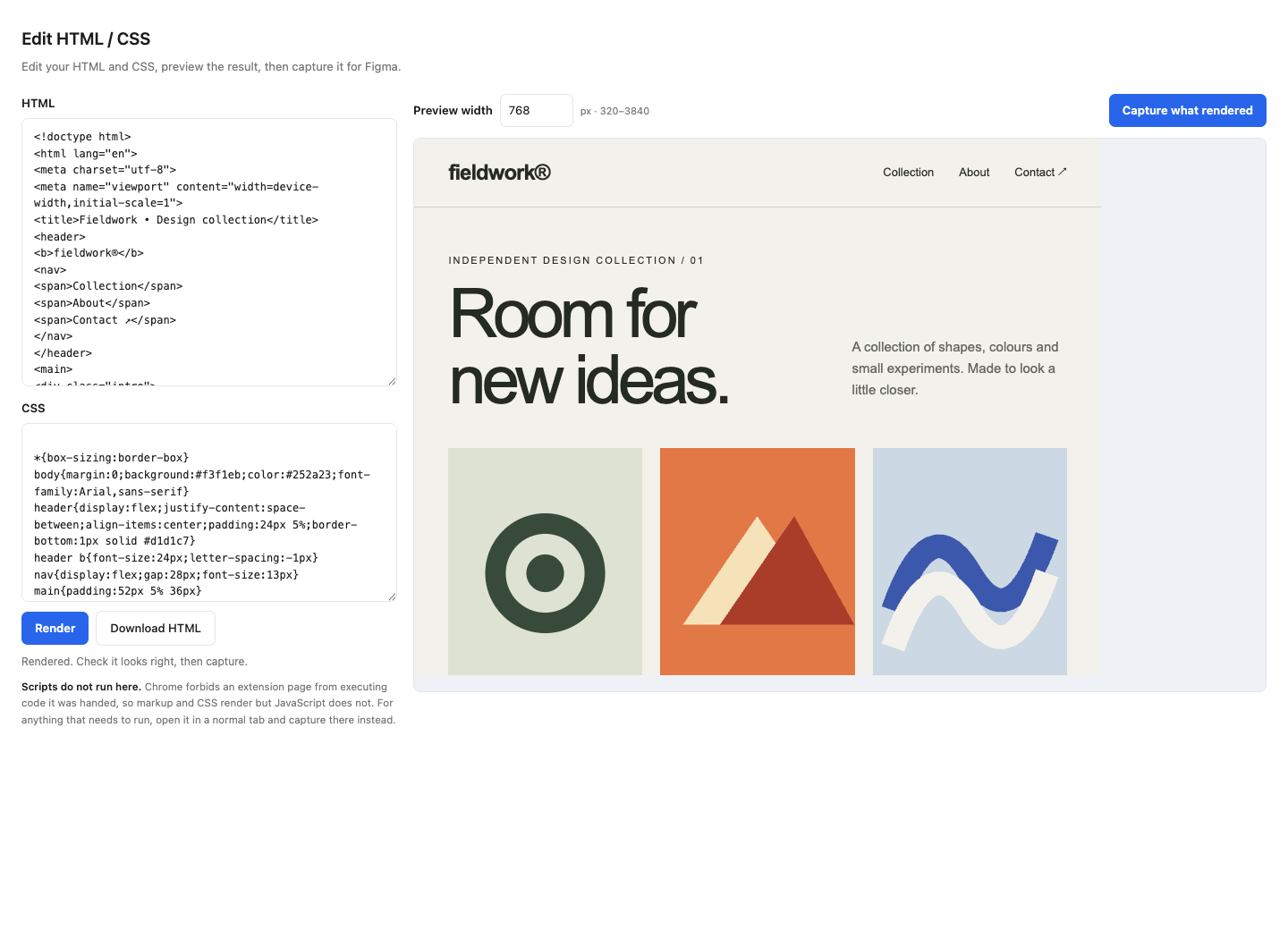
Snapture reads the live page in your browser, so anything you can see, you can capture — dashboards behind a login, admin tools, open drawers and popovers, web components and iframes included.

Logged-in pages

Captures run inside your signed-in tab, so internal tools, paid dashboards and staging sites convert exactly as they render for you.

Pixel-true Auto Layout PRO

Flex and grid layouts become real Auto Layout — but only when Figma's engine would place every child within half a pixel. If not, you get exact absolute positions. Nothing ever shifts.

Icons come through

CSS mask icons, SVG sprites, icon fonts — the three ways sites draw icons that converters usually drop. Snapture handles all three.

Charts, maps, 3D

WebGL canvases and cross-origin embeds can't be turned into layers by anyone — Snapture drops in a crisp screenshot of exactly that area instead of a gray box. Same-origin iframes go further: they convert into real layers.

Components & styles PRO

Repeating cards become a component with instances. Repeated type and colors become local styles, and colors the site defines as CSS variables arrive as Figma variables under the site's own names — brand-primary, not a hex code.

Clipboard handoff

Capture, then paste. No file needed — the capture travels to the plugin on your clipboard and never touches a server.

Batch capture PRO

Paste a list of URLs, or pull them from the site's own sitemap, and Snapture opens and captures each one. Up to 30 pages per run.

PROfeatures are included in all 5 free captures — no card, no sign-up. Pro removes the limit.

Privacy

Nothing leaves your computer.

The Figma plugin's manifest declares networkAccess: "none". Figma enforces that, which means the plugin cannot make a network request even if it wanted to. Not a policy we promise to follow: a capability we do not have.

No server, no account, no analytics. The capture is computed in your tab and saved to your disk or clipboard.
The extension does make three requests, and we would rather you knew: it fetches the page's own images so they land in your file, checks your licence key if you are on Pro, and reads a site's sitemap when you click batch capture. None of them carries the content of your pages.
Password fields are masked at capture time. What you typed never enters the file.
Safe for internal admin tools, staging environments and anything behind a company login. There is no upload step to worry about, because there is nowhere to upload to.

Open DevTools while you capture and watch the network tab — you will see those requests and nothing else. Full detail in the privacy policy.

Why Snapture

No server in the loop, by construction

Other tools can be configured to keep a capture local. Snapture has no setting to get wrong, because there is no server it could send anything to in the first place.

SnaptureTools with a server-side path
If you want it privateIt always isChoose the local option
What the free tier gives youFull features, 5 capturesMonthly quota
Logged-in / interactive stateYes, alwaysVaries
Account requiredNoYes
Pro price$5/monthTypically higher
Pricing

Free to use. Pro when it pays for itself.

Try the whole thing free, five times. Pro lifts the limit — same features, no counter.

Free
$0
5 captures
  • 5 captures — the complete product
  • Logged-in pages, icons, charts
  • Clipboard handoff
  • No card, no account
Add to Chrome
Pro RECOMMENDED
$5 /month
or $49/year (2 months free)
  • Everything in Free
  • Pixel-true Auto Layout
  • Components from repeating cards
  • Text & color styles with token names
Get Pro Or pay yearly — $49 (2 months free)
Already using Snapture? The version you have keeps working as-is. Updating brings the new engine, and the Free plan gives you 5 full captures to try it.
FAQ

Questions, answered plainly

Is my page data really safe?

Yes, structurally. The conversion runs inside your browser tab and the result goes to your disk or clipboard. There is no Snapture server to send it to. The Figma plugin's manifest declares zero network access, which Figma enforces and anyone can inspect. The extension does make a few requests — the page's own images so they appear in your file, a license-key check if you use Pro, and a sitemap read when you click batch capture — and none of them carries the content of your pages. All of them are listed in the privacy policy.

How is this different from html.to.design and similar tools?

Those tools can also capture a page you are logged into, using their own browser extension, and they let you keep the file local if you choose that option. The difference is that with Snapture there is no option to choose. There is no server, so the private path is the only path, and the Figma plugin ships with networkAccess: "none", which Figma enforces on our behalf. Beyond that: our free tier is the complete product rather than a limited one, and we apply Auto Layout only when Figma's engine reproduces your page within half a pixel.

What exactly do I get for free?

Five captures, and every one of them is the full product — logged-in pages, icons, gradients, charts as screenshots, Auto Layout, components, style extraction, the clipboard flow. Nothing is held back, so you find out on your own pages whether Snapture is worth paying for. After the fifth, Pro lifts the limit.

My fonts look different in Figma.

Figma can only use fonts installed on your computer. Snapture captures the exact font stack, so once you install the missing font (say, Pretendard or Inter) and restart Figma, everything matches. Until then Figma substitutes the closest installed font.

Can I use one license on multiple computers?

Yes, a license covers your personal devices (up to 3 activations). If you hit the limit after replacing a machine, write to us and we'll reset it.

What's your refund policy?

If Snapture doesn't work for your pages, tell us within 14 days of purchase and you'll get a full refund, handled by our payment provider. No forms, no friction.

Stop redrawing what already exists.

Install the extension, capture the page you're looking at, and paste it into Figma. It takes about a minute to see it work.